
Introduction
Understand what Model Context Protocol is, how Smplify MCP works, and why MCP gives teams a cleaner bridge between AI clients and Smplify operations.
Read IntroductionConnect MCP-capable clients to the Smplify unified control plane — one interface to manage devices across Apple, Windows, and Linux (with Android and more coming soon) — with OAuth 2.1, guided connection flows, live controller coverage, and security guidance built for modern IT operations.
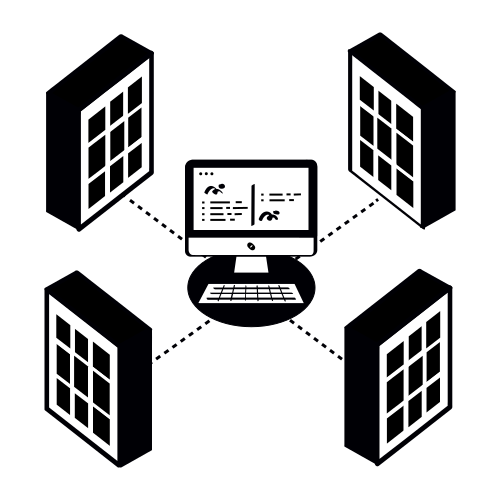
Start with the overview, then move into MCP concepts, connection guidance, and the security pages your team will want during rollout.
Understand what Model Context Protocol is, how Smplify MCP works, and why MCP gives teams a cleaner bridge between AI clients and Smplify operations.
Read IntroductionReview connection steps, live gateway status, loaded controllers, supported tool families, and what is currently operational in the hosted gateway.
Open ReferenceSee the hosted security posture and customer best practices for OAuth connections, prompt injection, trusted clients, and change approval workflows.
Review SecuritySmplify’s API-first architecture becomes more usable when operators can ask for review, remediation planning, and approved actions in natural language through one hosted MCP surface.
Instead of manually stitching together API calls and internal runbooks, teams can connect a trusted client once and then use Smplify MCP to inspect fleet state, answer operational questions, and move into human-approved admin workflows.
The MCP gateway keeps the transport, connection guidance, and hosted controls in one place while each request runs with an audience-bound Smplify MCP token and tenant-scoped permissions.
The hosted gateway publishes OAuth discovery, generates headerless client configuration locally, and accepts only audience-bound Smplify MCP tokens at the hosted endpoint.
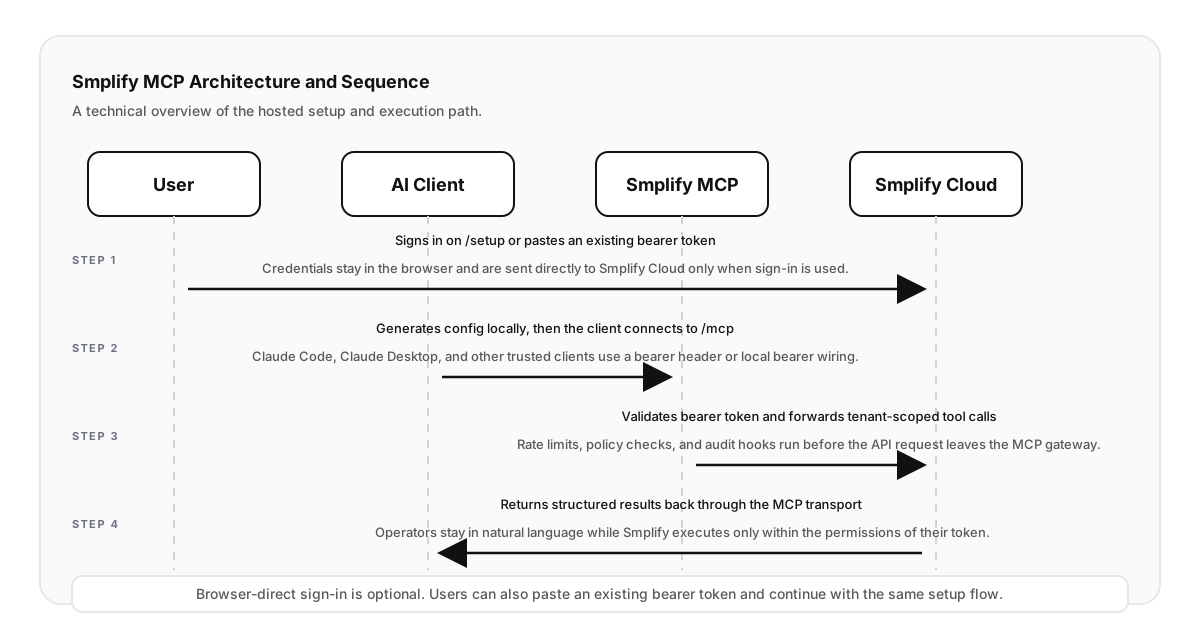
The reference section combines connection guidance, supported surfaces, and security notes so teams can understand the hosted gateway before they connect clients.
Smplify MCP keeps the hosted controls, connection boundaries, and rollout guidance in one place for admins and security reviewers.